


Overwhelmed Bookkeepers: Take Back Your Workday
Take Your Time Back

For overwhelmed bookkeepers, the work rarely stops at reconciling accounts. There are client questions to answer, documents to chase, deadlines to track, and follow-ups that can slip through the cracks when the day gets busy.
When every task depends on your memory, inbox, or a collection of spreadsheets, even a manageable client list can start to feel overwhelming. The solution isn’t necessarily to work longer hours. It may be time to make routine work easier to see, organize, and repeat And it would hurt to have a system that reminds YOU and lets you know of any upcoming next steps.
By improving workflow management, organizing client information, and automating repetitive administrative tasks, overwhelmed bookkeepers can begin to regain control of their workday.
Common Challenges for Overwhelmed Bookkeepers
Bookkeeping involves recurring tasks, but each client may have a slightly different process. One sends documents on time; another needs several reminders. A client question arrives while you’re trying to finish a reconciliation. An upcoming deadline is noted in a calendar, while a related message is buried in email.
Over time, important details get spread across different places:
- Client documents in one folder
- Tasks in a spreadsheet
- Appointments in a calendar
- Questions in an inbox
- Deadlines in a notebook or task app
The work itself is demanding enough. Searching for information and remembering what to do next adds another layer of pressure.
Workflow Management for Overwhelmed Bookkeepers

A reliable task list can help reduce the mental effort of remembering everything. Instead of keeping client follow-ups in your head, use a system where you can record each task, assign a due date, and see what needs attention.
A simple workflow might include:
- To do: Work that hasn’t started
- Waiting on client: Documents or answers you’ve requested
- In progress: Work currently underway
- Ready for review or delivery: Work nearing completion
You don’t need a complicated setup. Choose a format you’ll use consistently, whether that’s a dedicated task tool, a practice-management platform, or a well-organized spreadsheet.
At SEO conveyance we automate workflow and set it up in a way were our clients dashboard has a calendar with task and other appointments, all of which can also be automated to hand off to team members and staff. The important part is having one dependable place to check.
Reduce Repetitive Questions With a Client Handbook

When it comes to answering repetitive client questions, we strongly recommend creating a dedicated member or client handbook, similar to the one available on our resource page.
At SEO Conveyance, we design custom client handbooks tailored to the businesses we serve and the needs of their clientele.
Providing clients with a dedicated resource page or making a handbook readily accessible within their client dashboard can help establish credibility, build trust, and position your business as an authority in your industry.
Your client handbook can include:
- Frequently asked questions
- Document submission instructions
- Important deadlines
- Payment and billing procedures
- Cancellation and refund policies
- Communication guidelines
- Client onboarding instructions
- Service expectations
- Instructions for navigating the client portal
- Contact information and business hours
- Summarized Company policies, terms, and conditions links
This doesn't mean your clients should feel discouraged from asking questions. Instead, it empowers them to find answers independently whenever they need them, while reducing the time you spend responding to the same questions.
Having clearly documented policies and procedures can also help prevent misunderstandings, establish professional boundaries, and ensure clients know what to expect when working with your business.
For overwhelmed bookkeepers, a client handbook can be particularly valuable in reducing unnecessary interruptions throughout the workday.
A well-designed client handbook is more than an informational resource—it's an extension of your customer service experience. It works for your business even when you're unavailable.
Essential Tools for Overwhelmed Bookkeepers
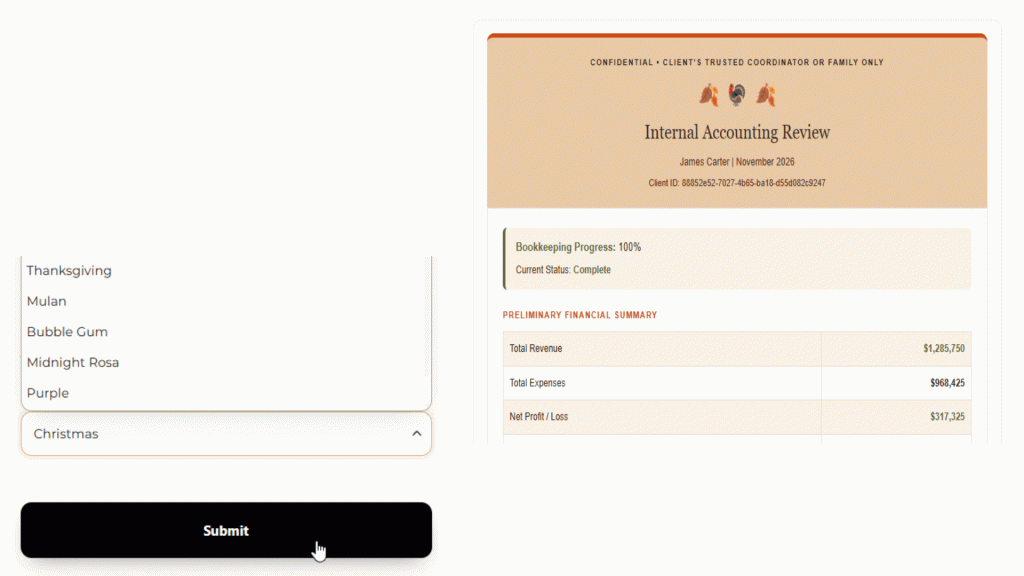
Make client requests easier to manage repeatedly asking clients for the same information can consume hours over the course of a month. Clear instructions can help clients understand what you need and when you need it.
Consider creating a standard process for common requests:
- List the documents needed for each type of work.
- Explain how and where clients should submit them.
- Set a clear deadline.
- Let clients know what happens if information arrives late.
- Use a consistent follow-up schedule.
Templates can save time, but they should still leave room for a personal note when a client’s situation needs one. The goal is to avoid rewriting routine messages from scratch—not to make every interaction feel impersonal.
Five Practical Tips for Overwhelmed Bookkeepers

One of the best decisions an accountant or bookkeeper can make is to implement a Client Relationship Management (CRM) system early in their business journey.
It is much easier to establish organized business processes from the beginning than to restructure an entire practice after years of relying on spreadsheets, emails, notebooks, and disconnected platforms.
If more accounting professionals started their businesses with a centralized client management system, they could potentially enjoy more free time, reduce administrative responsibilities, and dedicate more attention to growing their practices. Client information, documents, appointments, outstanding tasks, and communication history could all be just a few clicks away.
Whether you are starting a new practice or already managing an established client base, consider these five practical steps:
1. Establish a Centralized Client Management System
Create a dedicated space where client information, documents, communication history, appointments, and outstanding tasks can be easily accessed. Establishing this foundation early can prevent organizational challenges as your clientele grows.
2. Automate Repetitive Responsibilities
Identify tasks that you perform repeatedly, such as appointment reminders, document requests, client onboarding, and follow-up emails. Automating these responsibilities can help you reclaim valuable time throughout your workday.
3. Create a Consistent Client Onboarding Process
Every new client should enter a structured onboarding process. From completing intake forms to signing agreements and submitting documents, a well-designed system can provide a consistent and professional experience without requiring constant manual intervention.
4. Give Your Clients Access to a Dedicated Client Portal
A client portal allows clients to access documents, submit requests, review invoices, schedule appointments, and communicate with your practice. This can reduce unnecessary emails and phone calls while providing clients with greater convenience.
5. Build Your Business With Growth in Mind
Don't wait until you are overwhelmed to invest in business organization. Establish systems that can accommodate a growing client base without creating an equally growing administrative workload.
For overwhelmed bookkeepers who have never used a CRM, transitioning to a centralized system may require an initial adjustment. However, the long-term benefits of having an organized, accessible, and efficient workspace can make that transition worthwhile.
Your business systems should be prepared for the growth you want to achieve—not just the workload you currently manage.
You don’t have to keep everything in your head
A full workload may be part of running a bookkeeping practice, but constant uncertainty about what’s next doesn’t have to be. Clear task tracking, consistent client requests, and carefully chosen reminders can reduce the mental load and make your work easier to manage.
Start with the process that causes the most frustration. Make that one part more reliable, then build from there. Your systems should support your bookkeeping work—not become another thing you have to manage. If you dont have a System you are more then welcome to try our, Check out the demo Below.
Just submit your name and email below and get ready to experience the A Real Accountant CRM.
Try Our Accounting CRM Demo
About us and this blog
We are a digital marketing company with a focus on helping our customers achieve great results across several key areas.
Subscribe to our newsletter!
Request a free quote
We offer professional SEO services that help websites increase their organic search score drastically in order to compete for the highest rankings even when it comes to highly competitive keywords.


